FAQ
tip
FAQ Quick Reference
VM Options - IDEA
At startup, you need to add VM Options parameters, otherwise an error will occur.
Exception in thread "main" java.lang.IllegalAccessError: class org.agrona.UnsafeApi (in unnamed module @0x6576fe71) cannot access class jdk.internal.misc.Unsafe (in module java.base) because module java.base does not export jdk.internal.misc to unnamed module
	at org.agrona.UnsafeApi.getUnsafe(UnsafeApi.java)
	at org.agrona.UnsafeApi.<clinit>(UnsafeApi.java)
	at org.agrona.BufferUtil.<clinit>(BufferUtil.java:43)
Add VM Options parameters in the IDE
Edit Configurations

Add VM options

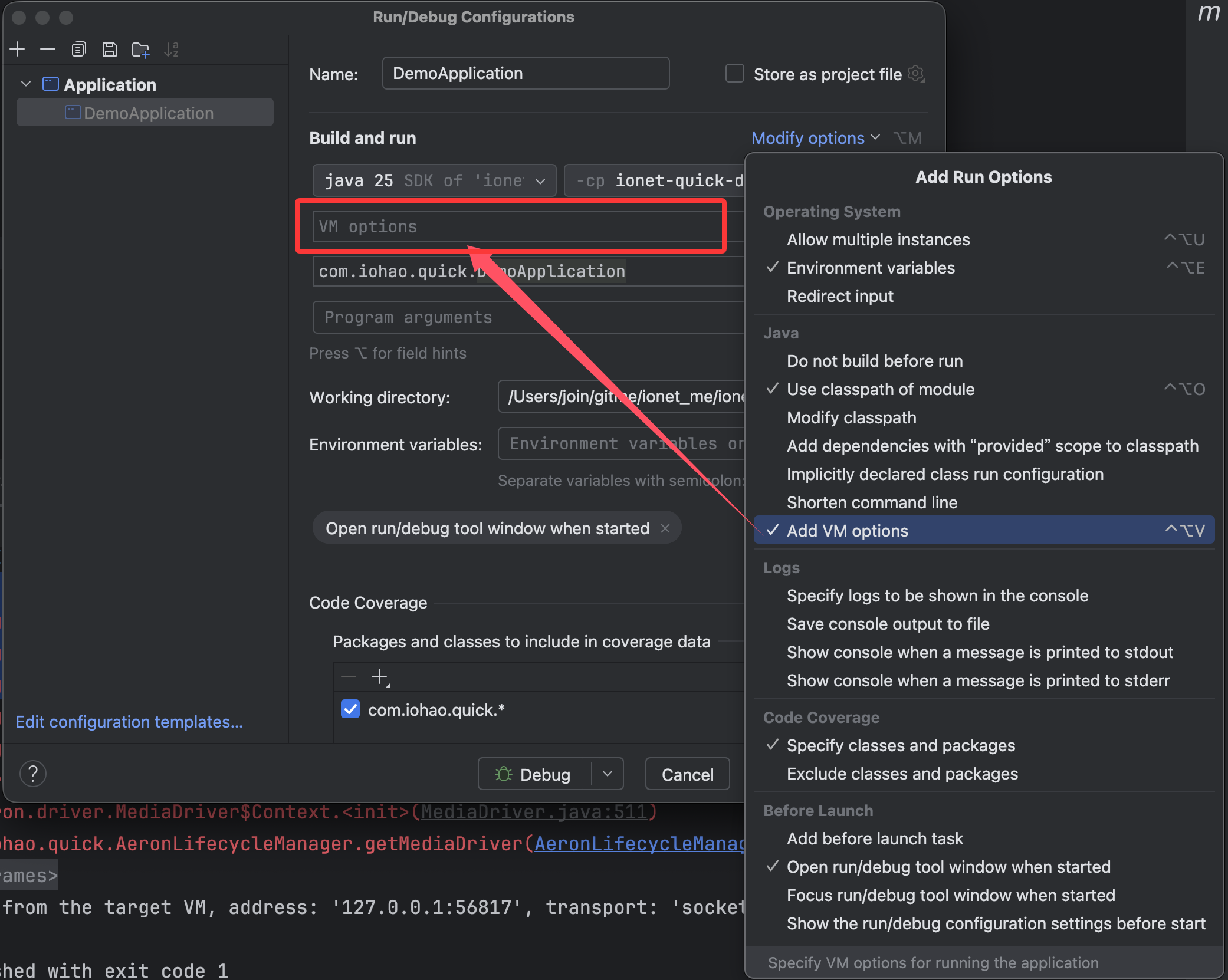
VM options parameters
--add-opens java.base/jdk.internal.misc=ALL-UNNAMED
--enable-native-access=ALL-UNNAMED

Run

VM Options - JAR
When starting a jar, you need to add VM Options parameters, otherwise an error will occur.
java \
--add-opens java.base/jdk.internal.misc=ALL-UNNAMED \
--enable-native-access=ALL-UNNAMED \
-jar target/ionet-quick-demo.jar
Why VM Options Are Required
These parameters allow Aeron to use the Unsafe API for high-performance off-heap memory operations.
Aeron is a system focused on zero-copy and low latency. Internally, it uses Java's Unsafe class for direct memory operations (such as off-heap memory/direct buffers), to avoid GC impact and improve data processing speed.
--add-opens java.base/jdk.internal.misc=ALL-UNNAMED
--enable-native-access=ALL-UNNAMED