Room Board Games and Room-Based Games
Introduction
This module is a solution for board-game and room-based games. It is well-suited for foundational development of these game types. Based on this model, you can build games such as Hearthstone-like card games, Three Kingdoms Kill, Dou Dizhu, Mahjong, and more. In short, as long as it is a room-based game, this model applies, such as CS, Crazy Arcade-like games, aeroplane chess, tank battle games, and more.
If you plan to build board-game style games, extending on top of this module is recommended. The module follows object-oriented design principles, avoids strong coupling, and has strong extensibility. It also helps developers avoid repetitive work, while clearly organizing module structure and development workflow, reducing long-term maintenance cost.
The Room module has only a few core concepts, and with them you can build unlimited game possibilities:
- Room, Player: rooms and players.
- RoomService: room management.
- OperationHandler: operation interface and one of the core interfaces for extending business features. It can provide any gameplay capability your game needs.
Problems Solved
Board-game and room-based games can be divided into 3 major responsibility categories:
- Room management
- Manage all rooms, query room lists, add/delete rooms, manage room-player relationships, and room lookup (by
roomIdoruserId).
- Manage all rooms, query room lists, add/delete rooms, manage room-player relationships, and room lookup (by
- Game-start workflow
- These games usually have fixed workflows: create room, enter room, leave room, dissolve room, ready up, start game, and so on.
- Before starting, validation is required (for example, whether player count is sufficient). Only when all checks pass should the game actually start.
- Gameplay operations
- After a game starts, concrete operations vary by game type. For example: tank shooting, pre-battle card selection and play in card games, Mahjong actions (chow/pong/kong/pass/win), or turn-based actions (normal attack/defense/skills).
- Because gameplay operations differ, operation handling must be extensible to support concrete behaviors. This also better follows single responsibility and lowers extension and maintenance costs.
The responsibilities above (room management, workflow, gameplay operations) are relatively common. If every game repeats this work, it is not only tedious but also wastes significant engineering cost.
This module helps developers shield this repetitive work, while providing clear structure for module design and development flow, reducing maintenance cost later. More importantly, the documentation makes onboarding new team members much faster.
How to Install
This module is optional. Add it to pom.xml when needed.
see https://central.sonatype.com/artifact/com.iohao.net/extension-room
<dependency>
    <groupId>com.iohao.net</groupId>
    <artifactId>extension-room</artifactId>
    <version>${ionet.version}</version>
</dependency>
Room and Player
The most fundamental elements in board-game and room-based games are rooms and players. Next is a quick overview.
Concept Introduction
Relationship between room and player: a room is where players play, and players interact and enjoy gameplay inside the room.
A room is a scoped game space that provides boundary management and isolation. This is similar to official football or basketball matches, where participants usually do not change arbitrarily.
Room responsibilities
- Game rules: the room enforces rules, which are defined by the game itself. For example, basketball is 5v5, so that player-count rule cannot be exceeded.
- Communication scheduling: room state changes and player operations must be broadcast by the room to other players in that room.
A player is the role an individual takes in a room, depending on the game type. In a room, a player can be a tank, aircraft, character, card player, and so on.
In different games, the resources held by players in a room are also different (for example bullets, cards, items, etc., depending on the game). How players use those resources is the gameplay operation itself (such as shooting, playing cards, using items, etc.).
Interface Introduction
The Room module provides two interfaces: Room and Player, representing rooms and players respectively.
To better explain usage of Room and Player, here are two examples.
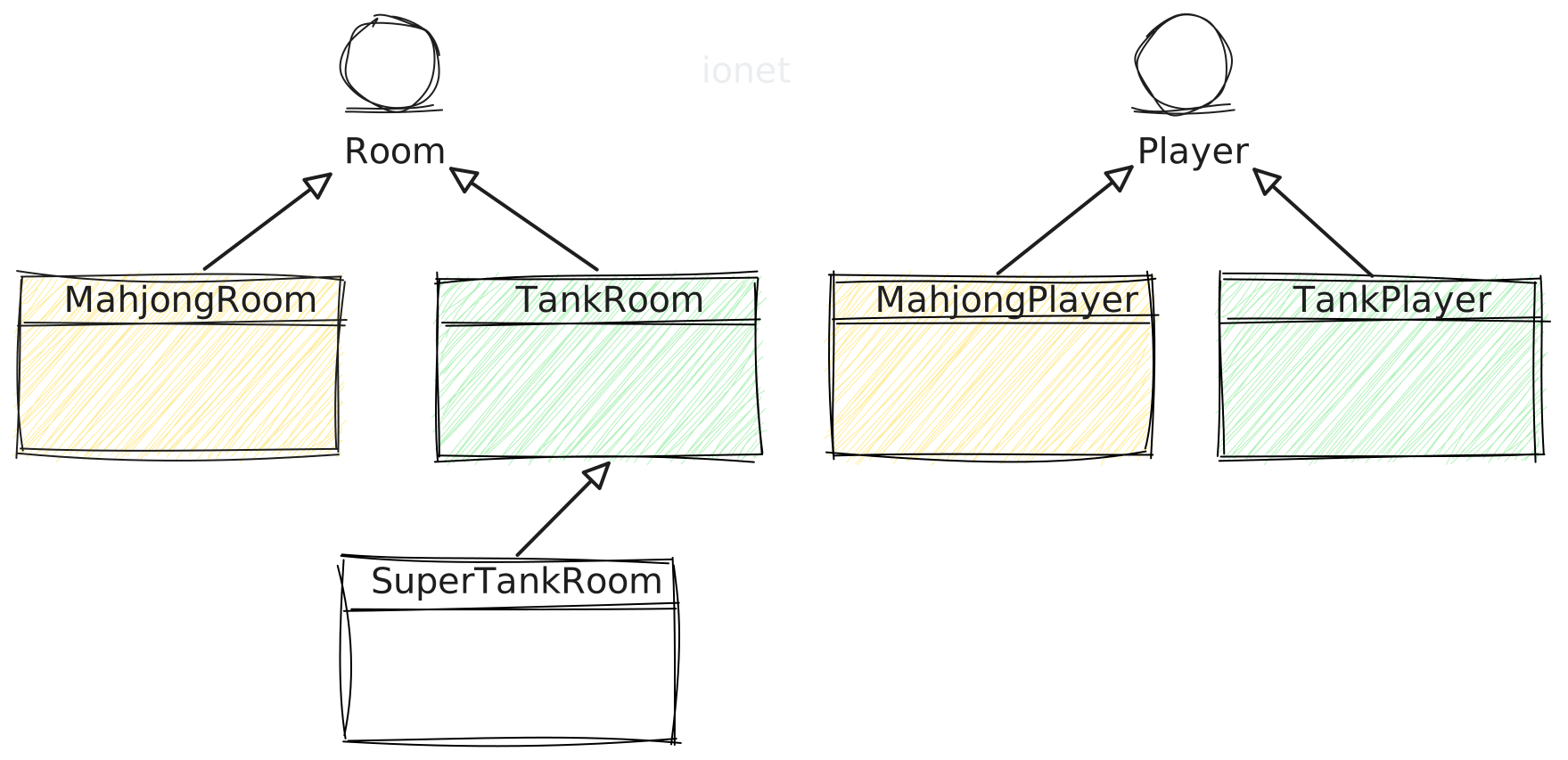
Assume we are building a tank game, and may build multiple tank subgames with different rules later. Then we can define a tank room base class, because tank games share many common points, and concrete subgame rules can inherit this base class.
The same idea applies to player extensions: only extend player subclasses when special needs appear.
As shown, tank players can use a generic TankPlayer; only when requirements exceed that should extension be considered.
The diagram also includes a Mahjong game. Since it shares no commonality with other games, we can directly implement the Room interface; the Mahjong player is similar.
Pseudo code
Now we implement custom room and player classes, MyRoom and MyPlayer,
which extend SimpleRoom and SimplePlayer.
Yes, this is enough to complete room and player extension.
public class MyRoom extends SimpleRoom {
}

public class MyPlayer extends SimplePlayer {
}
SimpleRoom and SimplePlayer are built-in generic implementations,
implementing Room and Player respectively.
In most cases, developers can extend through this inheritance approach.
Room Management
Room management focuses on rooms and room-player relationships.
The framework provides a room management interface RoomService, which developers can implement.
It contains default methods such as list rooms, add/remove rooms, room-player association, and room lookup.
How to Extend
Create a custom implementation class MyRoomService and implement RoomService.
With Lombok, adding the following code gives you room-management capabilities.
@Getter
public final class MyRoomService implements RoomService {
    final Map<Long, Room> roomMap = CollKit.ofConcurrentHashMap();
    final Map<Long, Long> userRoomMap = CollKit.ofConcurrentHashMap();
}
How to Use
Add room
RoomService roomService = new MyRoomService();

var room = new MyRoom();
roomService.addRoom(room);
Remove room
roomService.removeRoom(room);
Associate room and player
var player = new MyPlayer();
roomService.addPlayer(room, player);
Remove player from room and remove association
roomService.removePlayer(room, userId);
Find room
var room = roomService.getRoom(roomId);

var room = roomService.getRoomByUserId(userId);
Room list
var roomList = roomService.listRoom();
For more convenient methods, read the related Javadoc.
OperationHandler Interface
OperationHandler is one of the core interfaces of the room module. By implementing it, developers can extend arbitrary features:
enter room, leave room, dissolve room, ready, start game, and in-room gameplay actions such as attack, defense, and item use.
After game start, concrete operations differ by game type. For example: tank shooting, card selection and play in card games, Mahjong actions, or turn-based normal attack/defense/skills.
Because gameplay operations differ, the operation model must be extensible and able to process concrete gameplay actions. This extension style also better matches single responsibility and lowers later extension and maintenance cost.
How to Extend
OperationHandler provides two methods:
- processVerify: validation method for data legality. If it returns
true, execution enters process. - process: where business logic is implemented.
This design keeps developer code cleaner and reduces cognitive load. You can use assertion + exception mechanism in processVerify to simplify validation.
After processVerify passes, process executes. Then real business logic can be written in process, instead of mixing validation and business code.
public final class MyOperationHandler implements OperationHandler {
    @Override
    public boolean processVerify(PlayerOperationContext context) {
        // Your biz code
        return true;
    }

    @Override
    public void process(PlayerOperationContext context) {
        // Your biz code
    }
}
Extension Examples
Enter room example
- code 6: validate room capacity via assertion; when capacity is insufficient, return an error to the requester.
- code 15~21: if player does not exist in the room, create and add the player.
public final class EnterRoomOperationHandler implements OperationHandler {
    ...
    @Override
    public boolean processVerify(PlayerOperationContext context) {
        Room room = context.getRoom();
        ErrorCode.roomSpaceSizeNotEnough.assertTrue(room.hasSeat());
        return true;
    }

    @Override
    public void process(PlayerOperationContext context) {
        long userId = context.getUserId();

        MyRoom room = context.getRoom();
        room.ifPlayerNotExist(userId, () -> {
            var player = new MyPlayer();
            player.setUserId(userId);
            player.setNickname(name.fullName());

            roomService.addPlayer(room, player);
        });
    }
}
Quit room example
- code 10: remove player from the room.
public final class QuitRoomOperationHandler implements OperationHandler {
    ...
    @Override
    public void process(PlayerOperationContext context) {
        Room room = context.getRoom();
        long userId = context.getUserId();

        log.info("QuitRoom : {}", userId);

        roomService.removePlayer(room, userId);
    }
}
In this example, we did not override processVerify and wrote business logic directly, because processVerify is optional.
In-room gameplay operation: attack example
public final class AttackOperationHandler implements OperationHandler {
    @Override
    public void process(PlayerOperationContext context) {
        long userId = context.getUserId();
        log.info("userId : {} attack!", userId);
    }
}
In-room gameplay operation: defense example
public final class DefenseOperationHandler implements OperationHandler {
    @Override
    public void process(PlayerOperationContext context) {
        long userId = context.getUserId();
        log.info("userId : {} defense!", userId);
    }
}
How to Get OperationHandler Implementation Class
Above, we extended several OperationHandler implementations.
How do we retrieve these implementations to handle concrete business?
Before retrieving OperationHandler implementations, extend MyRoomService to implement OperationService.
Through OperationService, we can get OperationHandler implementations. Key code:
@Getter
public final class MyRoomService implements RoomService, OperationService {
    ...
    final OperationFactory operationFactory = OperationFactory.of();
}
Configure OperationHandler Implementation Classes
We can use enums to manage these OperationHandler implementations.
- code 5~6: configure internal operations.
- code 9~10: configure gameplay operations.
...
var factory = roomService.getOperationFactory();

// ------ mapping internal operation ------
factory.mapping(InternalOperationEnum.enterRoom, new EnterRoomOperationHandler());
factory.mapping(InternalOperationEnum.quitRoom, new QuitRoomOperationHandler());

// ------ mapping user operation ------
factory.mappingUser(MyOperationEnum.attack, new AttackOperationHandler());
factory.mappingUser(MyOperationEnum.defense, new DefenseOperationHandler());
Because these implementation classes follow single responsibility, future business changes do not require caller-side code changes. Just replace implementations in configuration. Another benefit is reusability. For example, if subgames differ only in a few gameplay rules, we only need to add/remove configuration classes.
Enum classes
Enum classes implement the OperationCode interface, representing operation codes.
- code 10: operation code uses framework built-in incremental values.
- code 23: operation code uses custom value.
@Getter
public enum InternalOperationEnum implements OperationCode {
    enterRoom,
    quitRoom,
    ;

    final int operationCode;

    InternalOperationEnum() {
        this.operationCode = OperationCode.getAndIncrementCode();
    }
}

@Getter
public enum MyOperationEnum implements OperationCode {
    attack(1001),
    defense(1002),
    ;

    final int operationCode;

    MyOperationEnum(int operationCode) {
        this.operationCode = operationCode;
    }
}
Difference between mapping and mappingUser
mapping: mainly associates internal operations.mappingUser: mainly associates player gameplay operations that players can obtain via request parameters.
In the example below, we retrieve the corresponding gameplay operation by request parameter. If no implementation is found, return an error to the requester.
@ActionMethod(RoomCmd.operation)
public void operation(MyOperationCommandMessage command, FlowContext flowContext) {
    var operationHandler = roomService.getUserOperationHandler(command.operation);
    ErrorCode.illegalOperation.assertNonNull(operationHandler);

    ...
    // execute operationHandler
}

@ProtobufClass
public final class MyOperationCommandMessage {
    /** operation */
    public MyOperationEnum operation;
}
How to Use
Since we implemented OperationService, we can set it into the room object when creating a room.
After that, we can get corresponding implementations through room.operation.
@Getter
public final class MyRoomService implements RoomService, OperationService, RoomCreator {
    ...
    public MyRoom createRoom() {
        var room = new MyRoom();
        room.setOperationService(this);
        return room;
    }
}
Usage example
After integration, we can call our implementations through
room.operation.
@ActionMethod(RoomCmd.enterRoom)
public void enterRoom(long roomId, FlowContext flowContext) {
    ...
    room.operation(InternalOperationEnum.enterRoom, flowContext);
}

@ActionMethod(RoomCmd.quitRoom)
public void quitRoom(FlowContext flowContext) {
    ...
    room.operation(InternalOperationEnum.quitRoom, flowContext);
}

@ActionMethod(RoomCmd.operation)
public void operation(MyOperationCommandMessage command, FlowContext flowContext) {
    var operationHandler = roomService.getUserOperationHandler(command.operation);
    ErrorCode.illegalOperation.assertNonNull(operationHandler);

    Room room = getRoomByUserId(userId);
    room.operation(operationHandler, flowContext, command);
}

private Room getRoomByUserId(long userId) {
    Room room = this.roomService.getRoomByUserId(userId);
    ErrorCode.roomNotExist.assertNullThrows(room);
    return room;
}
Summary
Through OperationHandler, you can extend any business feature.
This extension style also better follows single responsibility and reduces later extension and maintenance cost.
We recommend using enums to manage these extension classes, and distinguishing internal operations from external gameplay operations. External gameplay operations are usually driven by player request parameters, such as attack, defense, and item usage.
In-Room Broadcast
The Room interface provides convenient broadcast methods.
Broadcast to specific player
room.ofEmptyRangeBroadcast(cmdInfo)
    .addUserId(userId)
    .setData(message)
    .execute();
In-room range broadcast - 1
Broadcast data to all players in the room.
room.ofRangeBroadcast(cmdInfo)
    .setData(message)
    .execute();
In-room range broadcast - 2
- code 1: create
RangeBroadcast, which by default includes all players in the current room. - code 2: set data to broadcast.
- code 3: exclude a player so they do not receive this broadcast.
- code 4: execute broadcast.
room.ofRangeBroadcast(cmdInfo)
    .setData(message)
    .removeUserId(1)
    .execute();
In-room range broadcast - 3
- code 1: create
ofEmptyRangeBroadcast, which has no players by default. - code 2: add players; only these players will receive the broadcast.
- code 3: set data to broadcast.
- code 4: execute broadcast.
room.ofEmptyRangeBroadcast(cmdInfo)
    .addUserId(userId)
    .setData(message)
    .execute();
In-Room Delayed Tasks
The room provides convenient delayed-task helpers.
room.executeTask(() -> {
    // Your code
});

room.executeDelayTask(() -> {
    // Your code
}, 200);
Delayed tasks should be used together with domain events to ensure thread safety.
Thread Safety Issues
When using the room module, pay attention to thread safety. Because the room module runs under multithreaded concurrency, thread safety must be guaranteed.
By default, the room module uses the current user thread, which is not thread-safe. There are two solutions:
- Use domain events to ensure thread safety.
- Use a designated thread pool to ensure thread safety.
We can ensure thread safety by overriding the Room.operation method.
Using Domain Events
Because domain events are thread-safe, we can use them to ensure thread safety for the room module.
public class MyRoom extends SimpleRoom {
    @Override
    public void operation(OperationHandler operationHandler, FlowContext flowContext, Object commandMessage) {
        this.ofOperationContext(operationHandler)
                .setFlowContext(flowContext)
                .setCommand(commandMessage)
                .send();
    }
}
When using domain events, you need to configure the related domain events yourself.
If you are not familiar with domain events, you can use a thread pool to ensure thread safety.
Using Thread Pool
Developers can use a thread pool to ensure thread safety for the room module.
For example, you can use Executors.newFixedThreadPool to create a fixed-size thread pool, or use the framework's built-in thread pool.
Below, we use the framework's built-in thread pool to ensure thread safety and obtain the thread executor through roomId.
public class MyRoom extends SimpleRoom {
    @Override
    public void operation(OperationHandler operationHandler, FlowContext flowContext, Object commandMessage) {
        ExecutorRegionKit.getSimpleThreadExecutor(this.getRoomId()).executeTry(() -> {
            // thread-safe
            this.ofOperationContext(operationHandler)
                    .setFlowContext(flowContext)
                    .setCommand(commandMessage)
                    .execute();
        });
    }
}
Summary
We introduced concepts of room and player, room management, feature extension, and in-room broadcasting. With this module, you can extend arbitrary games with only a small amount of code.
The room module has only a few core concepts:
- Room, Player: rooms and players.
- RoomService: room management.
- OperationHandler: operation interface and one of the core interfaces for extending business features. It can provide any gameplay capability your game needs.
Due to documentation length limits, see related Javadocs for more features.
Example Source Code
see https://github.com/iohao/ionet-examples
path : ionet-cookbook-code
- RoomAction
In Action
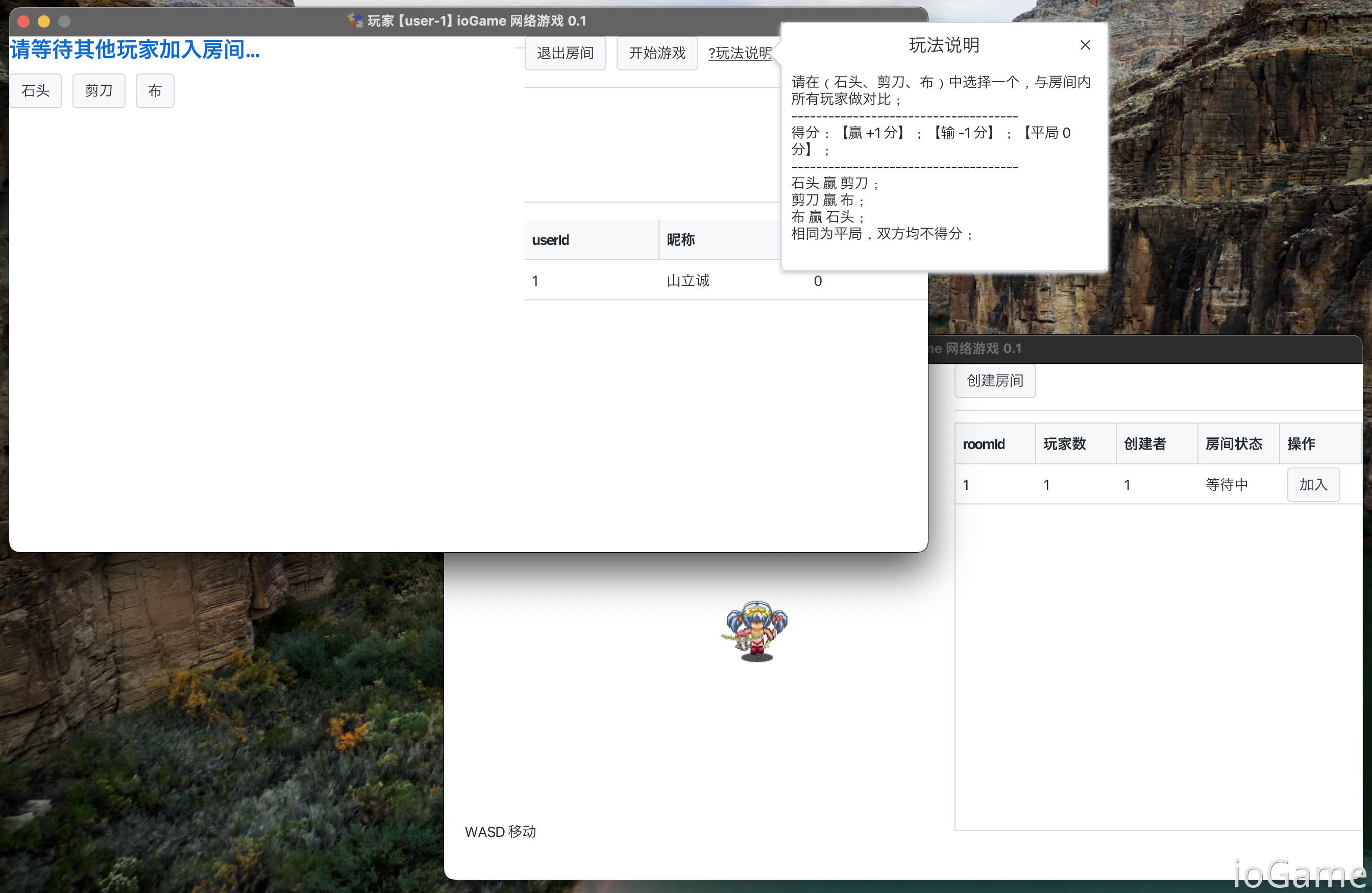
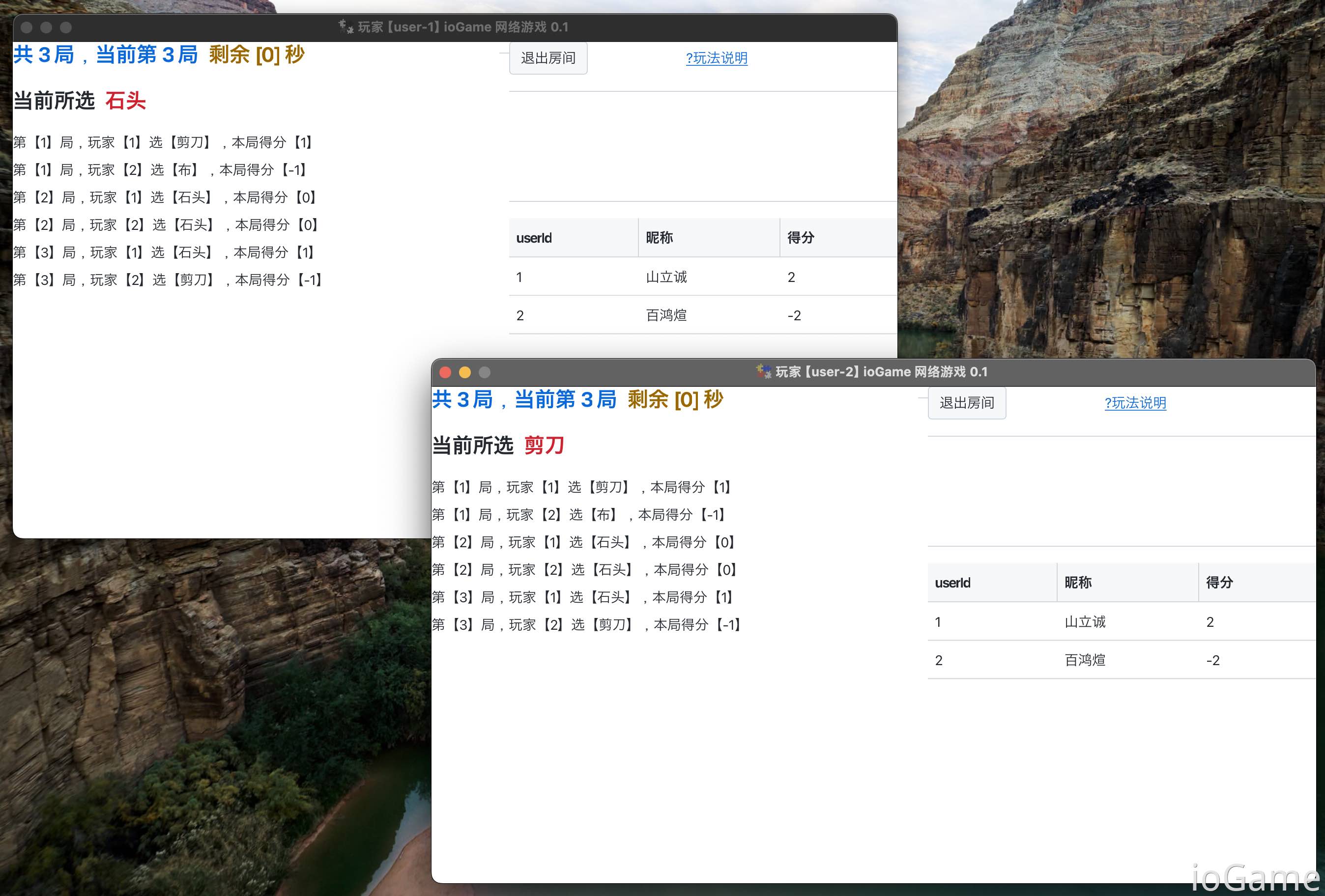
We provide a practical example: Room board-game and room-based game in action. Multiple players play Rock-Paper-Scissors in one room. This practice combines Room Module + Domain Events + Built-in Kit. It also demonstrates how to handle concurrency among multiple players in the same room.
Based on extensions built on the Room module, the following features were completed with only a few hundred lines of code:
- Login
- Player enters the lobby (map)
- Player can move in the lobby
- Players can see each other while moving
- Player leaves the lobby (goes offline)
- Query room list
- Real-time room status change notifications (player count changes, waiting, in-game, etc.)
- Player creates a room
- Player enters a room
- Player exits a room
- Dissolve room
- Player ready
- Start game
- In-room gameplay operations for players
- Plus all kinds of validation, assertion + exception mechanism = clear and concise code
The Room module effectively helps developers avoid repetitive work, and provides clear organization for module structure and development workflow, which reduces long-term maintenance cost. More importantly, with complete documentation, new team members can get started quickly.
Partial screenshots
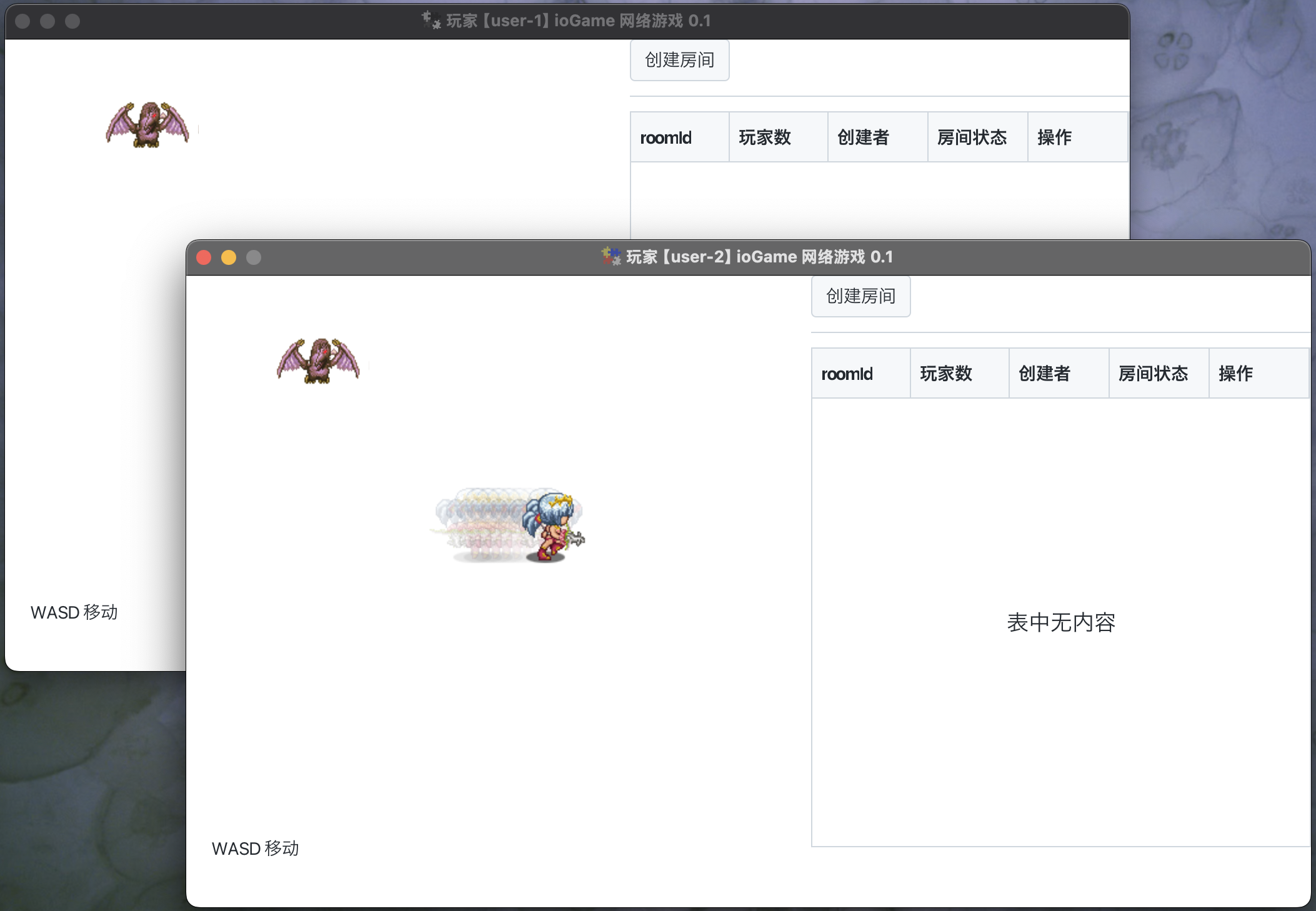
After starting the game, players enter the lobby (similar to a map), where multiple players can see each other and move around.