SDKExample, Godot, C#
Introduction
This example uses SDK and C#
The current example demonstrates interaction between C#, Netty, WebSocket, Protobuf, and the game server.
This example mainly demonstrates the following aspects
- SDK + code generation = many advantages.
- Interacting with the server using generated interface files (action, broadcast).
- Heartbeat handling, where each heartbeat synchronizes time with the server.
- Interaction demonstrations include:
- Protocol Fragment: parameter and return values of "basic types".
- Parameter and return values of List types.
- Parameter and return values of Protobuf object types.
In the example directory ./script/gen/code, interaction interface files such as action, broadcast, error codes are generated by ionet. Code generation can significantly reduce workload for client developers and hide concepts such as routing from them.
Several Advantages of SDK Code Generation
- Greatly reduces client-side workload and eliminates large amounts of template code.
- Clear semantics. Generated interaction code clearly defines parameter types and whether the server returns values, and this is explicit at generation time.
- Clear interaction interfaces ensure type-safe and explicit method parameters, so potential issues can be found at compile time. This approach effectively avoids safety risks and reduces low-level mistakes during integration.
- Reduces communication cost between client and server teams. Code is documentation. Generated integration code includes docs and usage examples, enabling even beginners to reach zero learning cost.
- Helps client developers abstract server interaction details so they can focus more on real business logic.
- Reduces cognitive load in integration. Integration code is simple and as smooth as local method calls.
- Replaces traditional protocol-oriented integration with an interface-method-oriented integration style.
- Once Java code is completed, docs and interaction interfaces are updated in sync, without extra time spent maintaining integration docs.
Example Source Code
see https://github.com/iohao/ioGameSdkCsharpExampleGodot
Quick Start
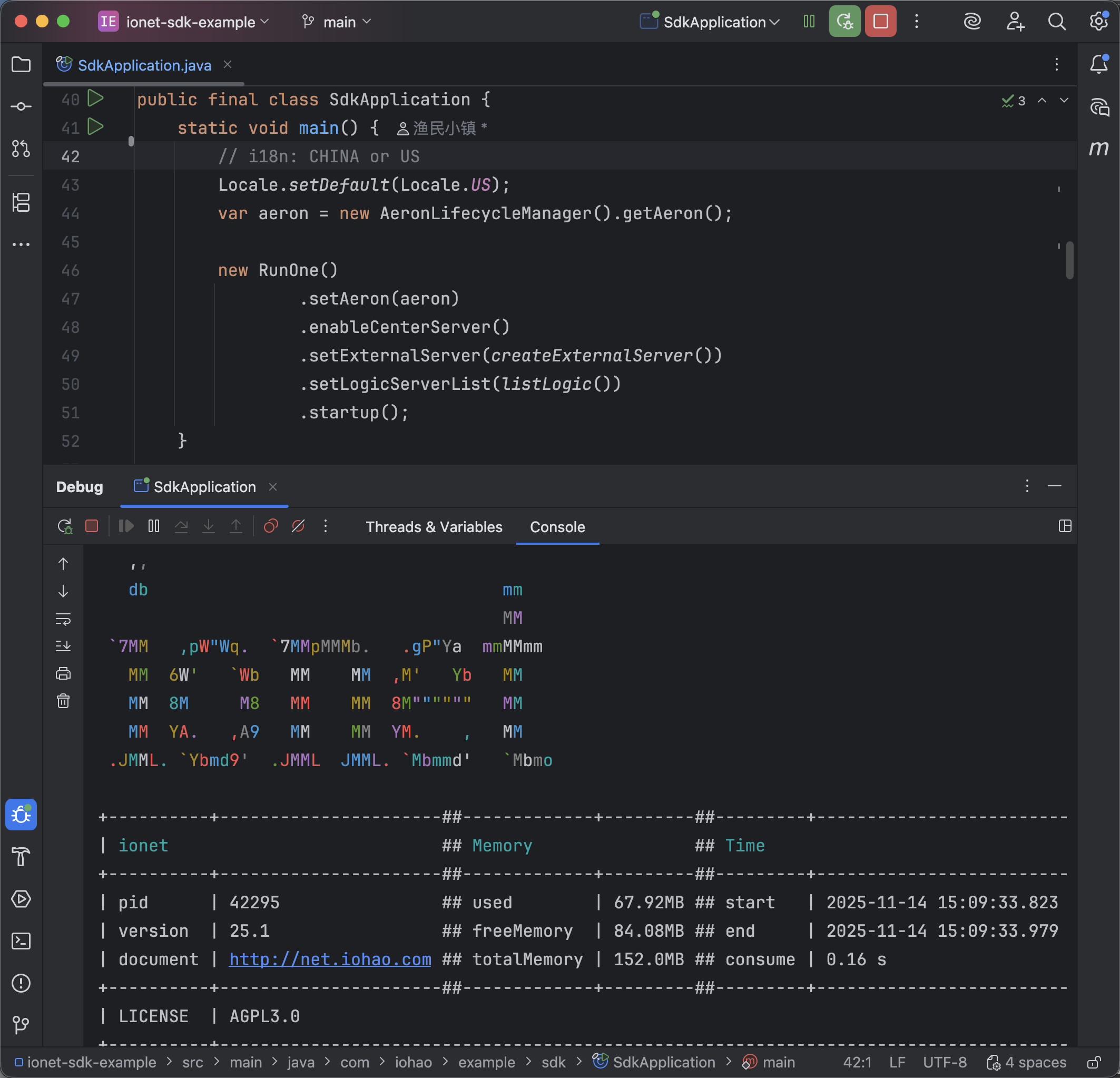
Start the Game Server
see https://github.com/iohao/ionet-examples
path : ionet-sdk-example
- SdkApplication
Install SDK
The current example project already has the required environment installed. For a new project, please install SDK, C#
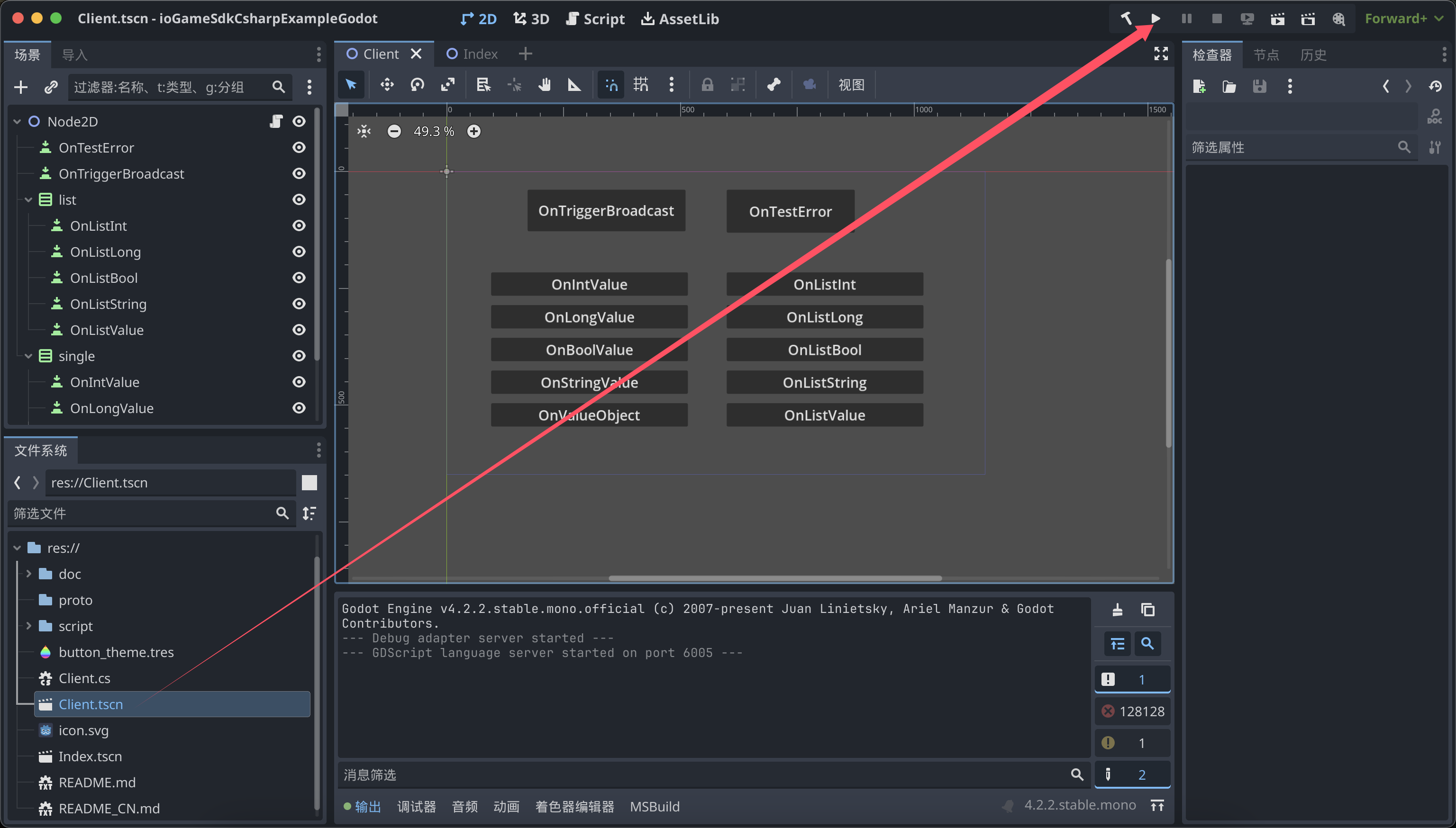
Launch Godot
Godot Version: 4.2.2
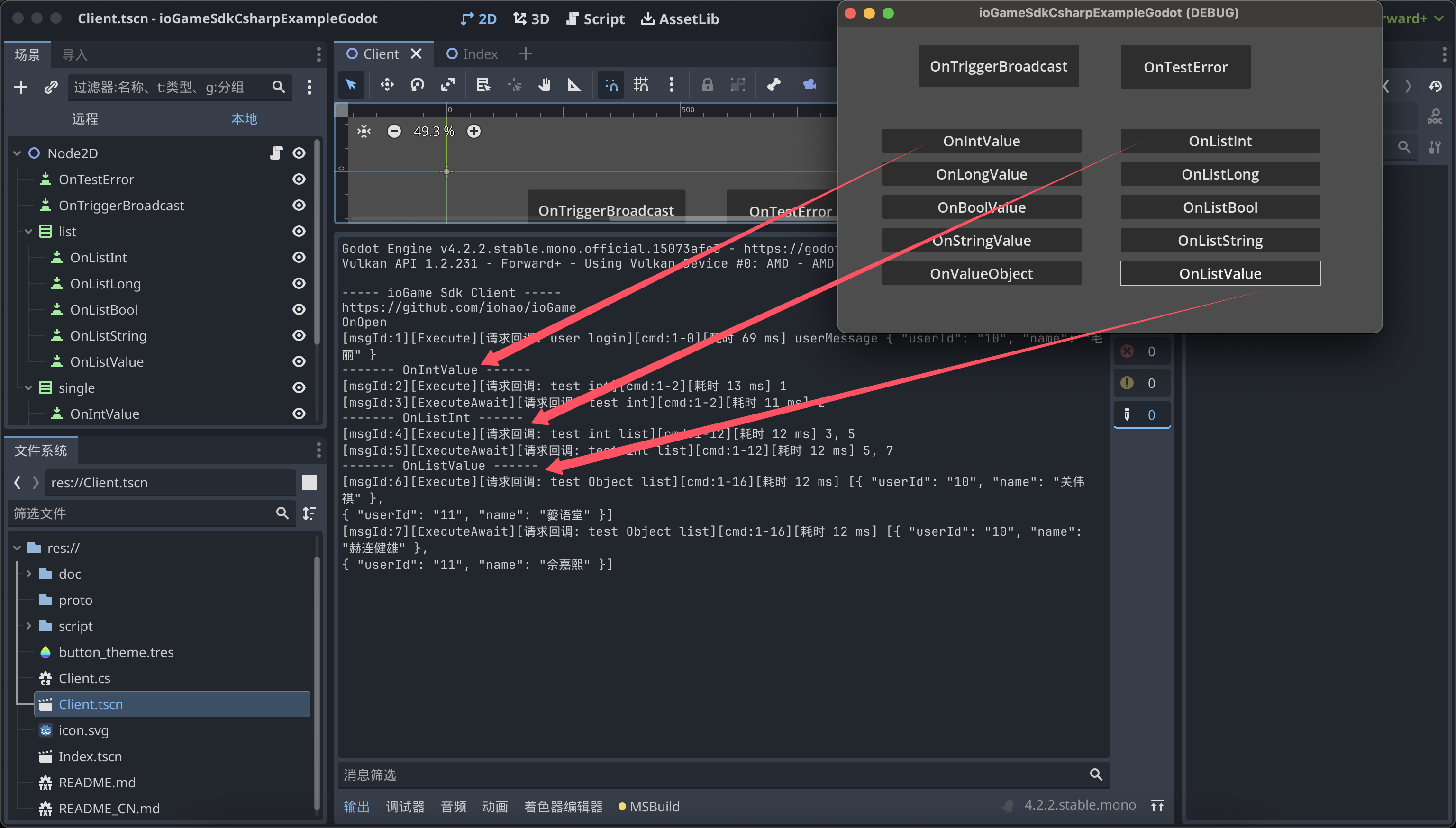
Test
Click the button to send requests to the server and receive response data.
SDK Setup Instructions
MyNetConfig.cs file, this config file does the following:
- Load error code and broadcast listener related modules.
- ListenMessageCallback: custom message listener.
- GameGameConsole: Godot print implementation.
- SocketInit(): network implementation configuration, login, and heartbeat handling.
- StartNet: start ioGame SDK.
namespace My.Game
{
    public abstract class MyNetConfig
    {
        private static IoGameGodotWebSocket _socket;
        public static long CurrentTimeMillis { get; set; }

        public static void StartNet()
        {
            // biz code init
            GameCode.Init();
            Index.Listen();

            // --------- IoGameSetting ---------
            IoGameSetting.EnableDevMode = true;
            // China or Us
            IoGameSetting.SetLanguage(IoGameLanguage.China);
            // message callback. 回调监听
            IoGameSetting.ListenMessageCallback = new MyListenMessageCallback();
            IoGameSetting.GameGameConsole = new MyGameConsole();

            // socket
            SocketInit();

            IoGameSetting.StartNet();
        }

        public static void Poll()
        {
            // Receiving server messages
            _socket.Poll();
        }

        private static void SocketInit()
        {
            IoGameSetting.Url = "ws://127.0.0.1:10100/websocket";
            _socket = new IoGameGodotWebSocket();
            IoGameSetting.NetChannel = _socket;

            // login
            _socket.OnOpen += () =>
            {
                var loginVerifyMessage = new LoginVerifyMessage { Jwt = "10" };
                SdkAction.OfLoginVerify(loginVerifyMessage, result =>
                {
                    var userMessage = result.GetValue<UserMessage>();
                    result.Log($"userMessage {userMessage}");
                });

                // heartbeat
                IdleTimer();
            };

            _socket.OnConnecting += () => { GD.Print("My OnConnecting"); };
            _socket.OnConnectError += error => { GD.PrintErr($"My OnConnectError --- {error}"); };
            _socket.OnClosing += () => { GD.Print("My OnClosing"); };
            _socket.OnClosed += () => { GD.Print("My OnClosed"); };
        }

        private static async void IdleTimer()
        {
            var heartbeatMessage = new ExternalMessage().ToByteArray();

            var counter = 0;

            while (true)
            {
                await Task.Delay(8000);
                GD.Print($"-------- ..HeartbeatMessage {counter++}");
                // Send heartbeat to server. 发送心跳给服务器
                IoGameSetting.NetChannel.WriteAndFlush(heartbeatMessage);
            }
        }
    }

    internal class MyListenMessageCallback : SimpleListenMessageCallback
    {
        public override void OnIdleCallback(ExternalMessage message)
        {
            var dataBytes = message.Data.ToByteArray();
            var longValue = new LongValue();
            longValue.MergeFrom(new CodedInputStream(dataBytes));
            /*
             * Synchronize the time of each heartbeat with that of the server.
             * 每次心跳与服务器的时间同步
             */
            MyNetConfig.CurrentTimeMillis = longValue.Value;
        }
    }

    internal class MyGameConsole : IGameConsole
    {
        public void Log(object value)
        {
            GD.Print(value);
        }
    }
}
Example Source Code Directory
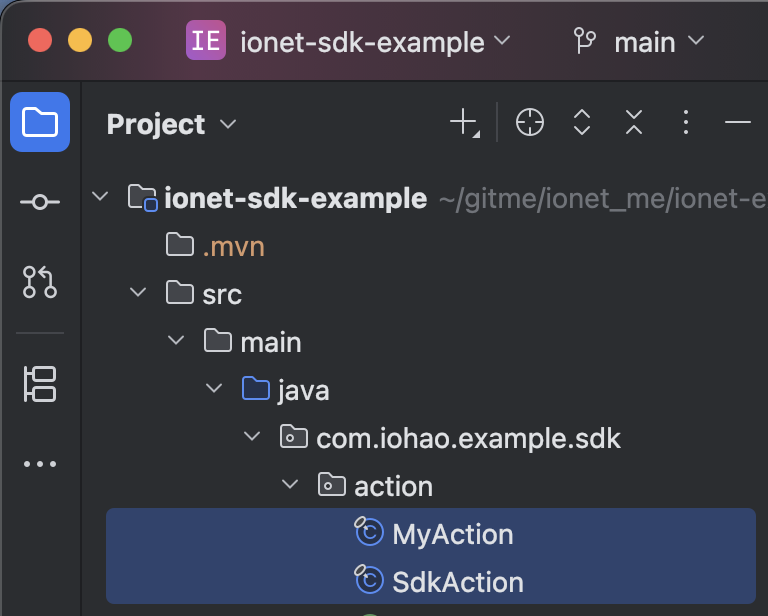
Remember, you do not need to write any interaction files such as action, broadcast, or error codes. These are generated by the ionet server, and you only need to focus on real business logic.
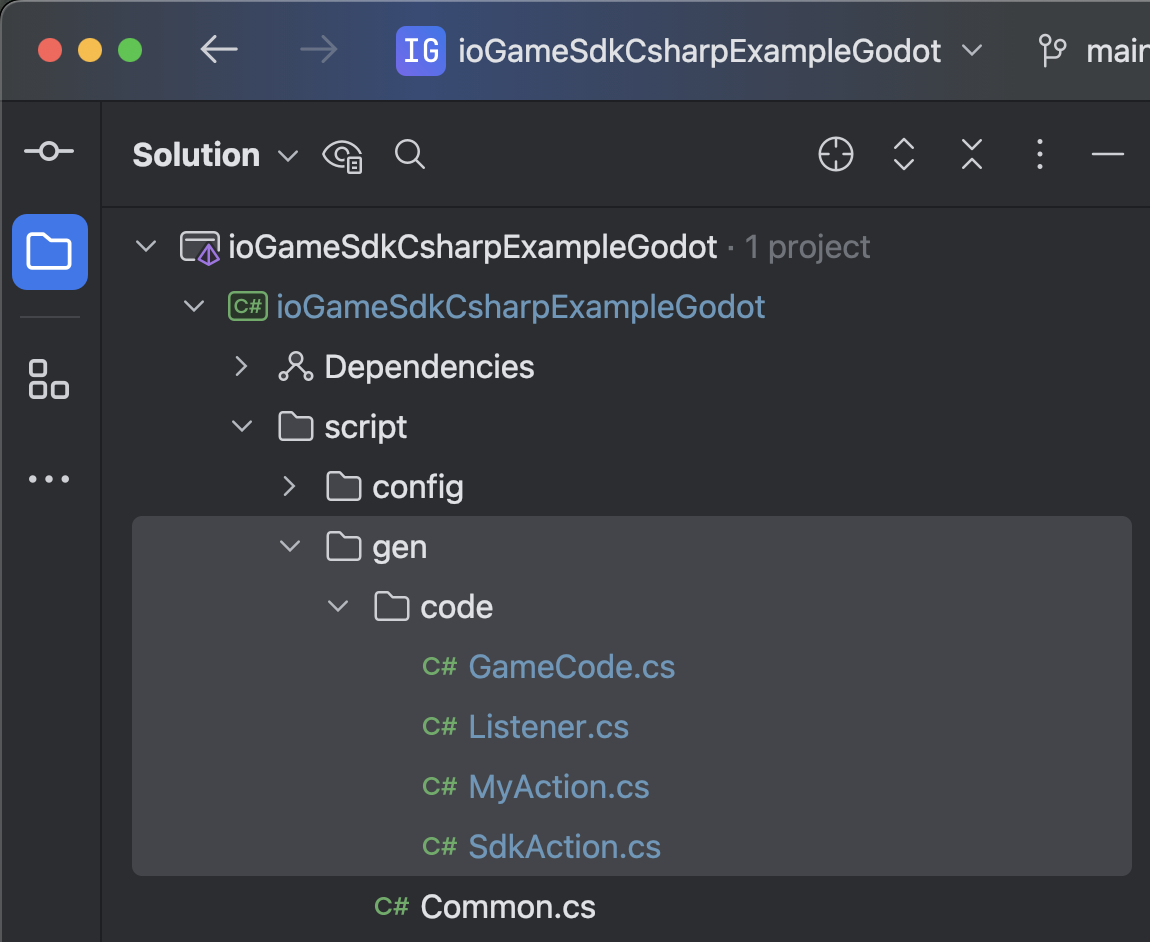
The image below shows the server source code. The C# source code shown above is generated by the server.
 ;
;
About Code Generation and Usage
click here
How to Generate Related PB from .proto
see compile-proto.sh
Final Notes
Remember, you do not need to write any interaction files such as action, broadcast, or error codes. These are generated by the ionet server, and you only need to focus on real business logic.