SDK, C#
Introduction
C# SDK is suitable for C# projects, such as Unity and Godot.
C# SDK provides a simple wrapper for interacting with the server, using the Protobuf data protocol internally. Combined with code generation, it avoids writing a large amount of template code, thereby significantly reducing workload for client developers.
Installation
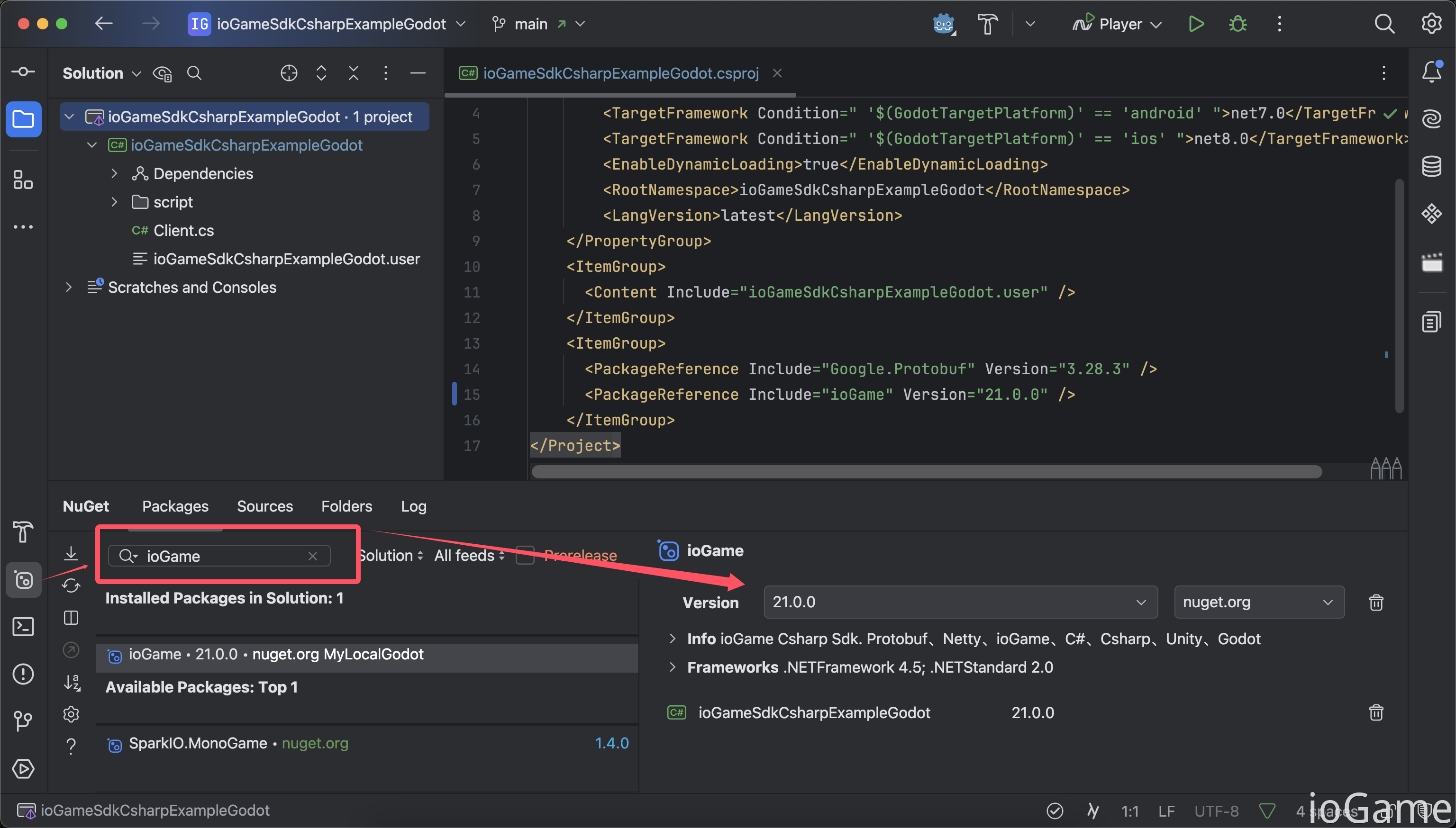
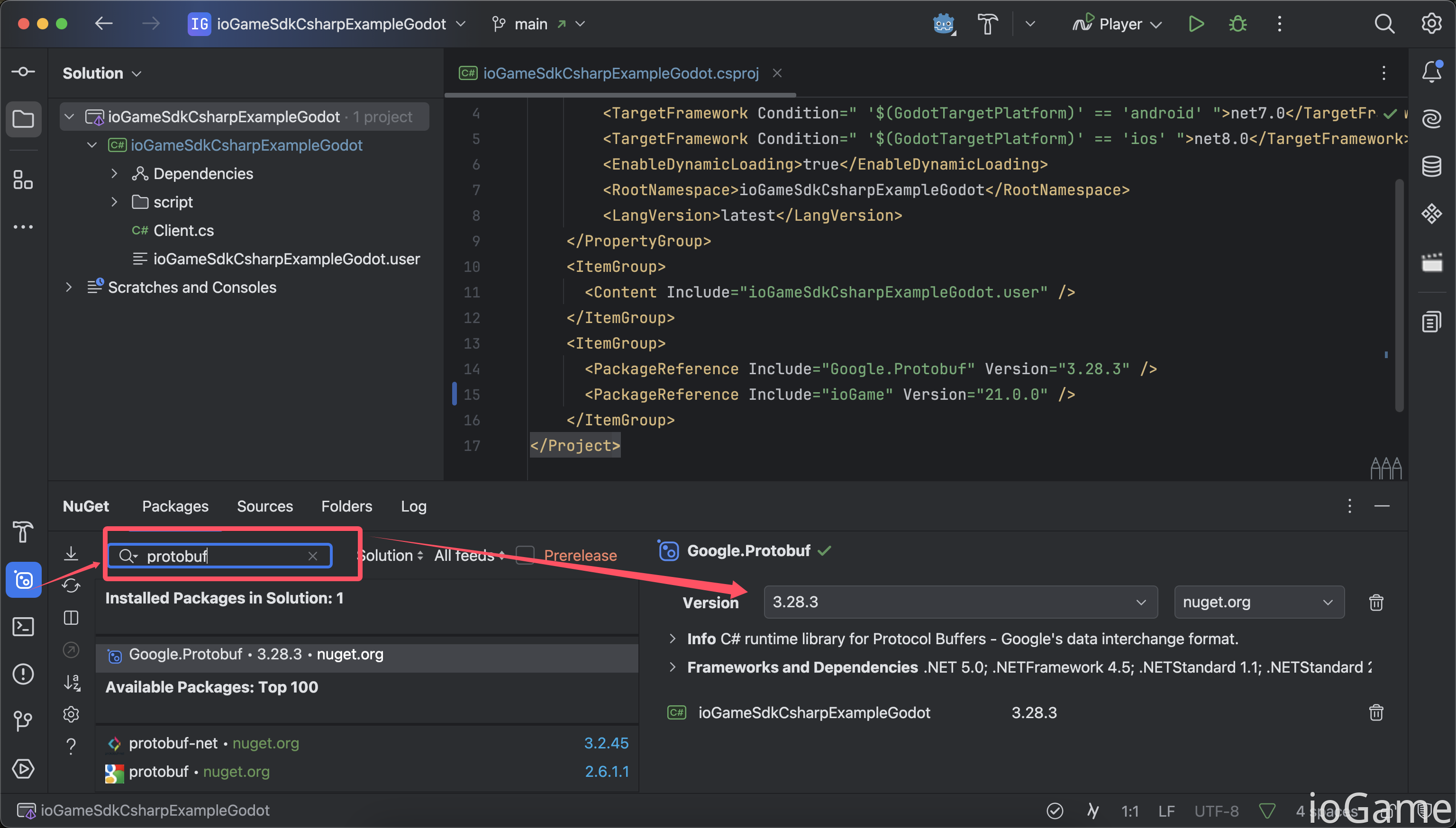
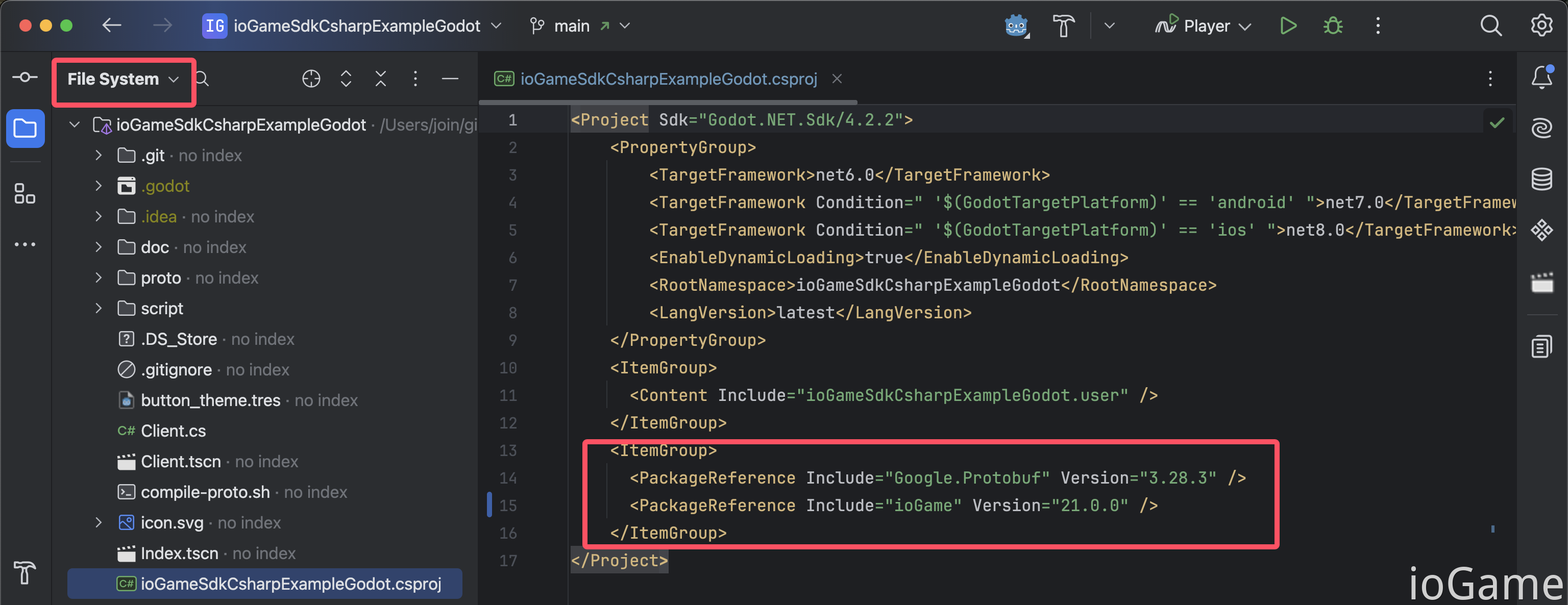
Add C# SDK and Protobuf from NuGet.
Add C# SDK
Add Protobuf
.csproj after import
SDK Setup
For usage details, Unity and Godot have slight differences. Please read the related example projects.
public abstract class YourNetConfig
{
    public static void StartNet()
    {
        // --------- IoGameSetting ---------
        IoGameSetting.EnableDevMode = true;
        // China or Us
        IoGameSetting.SetLanguage(IoGameLanguage.China);
        // message callback. cn: 回调监听
        IoGameSetting.ListenMessageCallback = new YourListenMessageCallback();
        // Print. cn: 打印
        IoGameSetting.GameGameConsole = new YourGameConsole();

        // socket
        SocketInit();

        IoGameSetting.StartNet();
    }

    private static void SocketInit()
    {
        IoGameSetting.Url = "ws://127.0.0.1:10100/websocket";
        // Setting up the Network Communication Implementation Class.
        // cn: 设置网络通信实现类。
        IoGameSetting.NetChannel = new YourWebSocket();
    }
}
How to Generate .proto
see https://github.com/protocolbuffers/protobuf/releases
Or read the
.protogeneration section in related examples.
Handle Error Codes
The following demonstrates error handling for two coding styles: callback and async/await.
SdkAction is generated by the framework.
public static async Task OnTestError()
{
    var value = ...
    Log("------- OnTestError ------");

    // code style: callback.
    SdkAction.OfTestError(value, result =>
    {
        // value
        result.Log(result.GetInt());
    }).OnError(result =>
    {
        // error
        result.Log(result.GetErrorInfo());
    });

    // code style: async await.
    var result = await SdkAction.OfAwaitTestError(value);
    if (result.Success())
        result.Log(result.GetInt());
    else
        result.Log(result.GetErrorInfo());
}
Unity Notes and Considerations
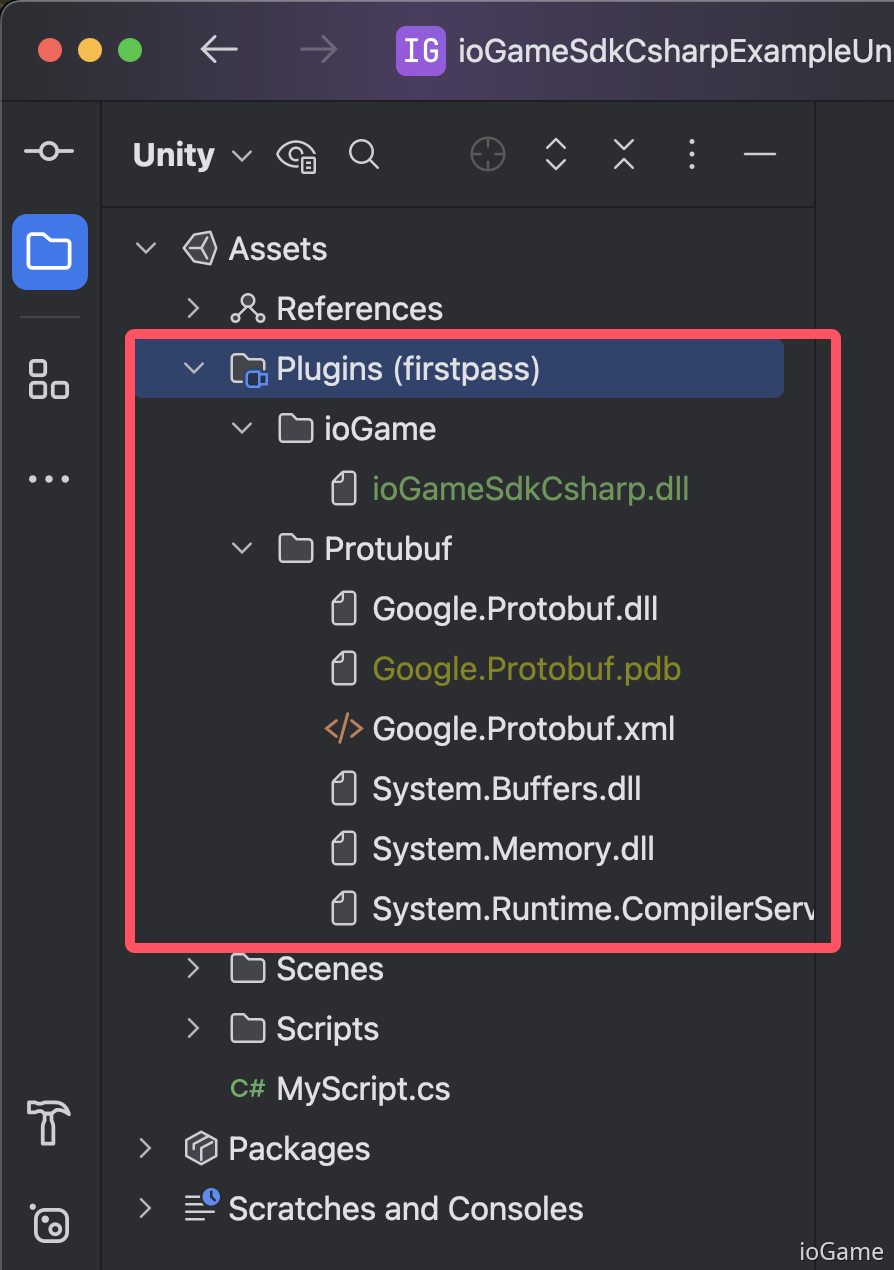
For Unity projects, place the related .dll files in the Plugins directory, as shown below.