SDK, GDScript
Introduction
GDScript SDK is suitable for Godot projects using GDScript.
GDScript SDK provides a simple wrapper for interacting with the server, using the Protobuf data protocol internally. Combined with code generation, it avoids writing a large amount of template code, thereby significantly reducing workload for client developers.
Installation
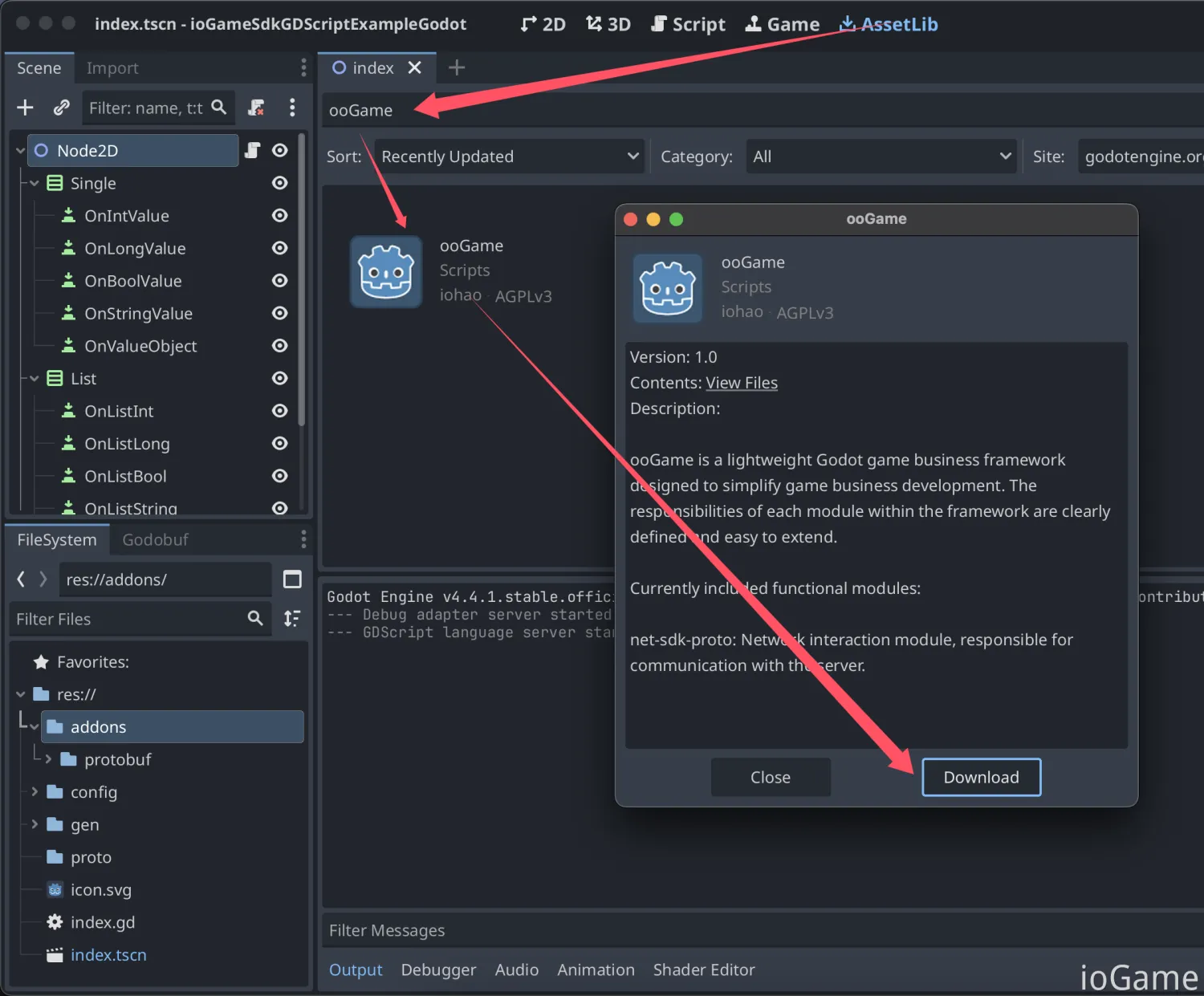
Search for ooGame in AssetLib and download it.
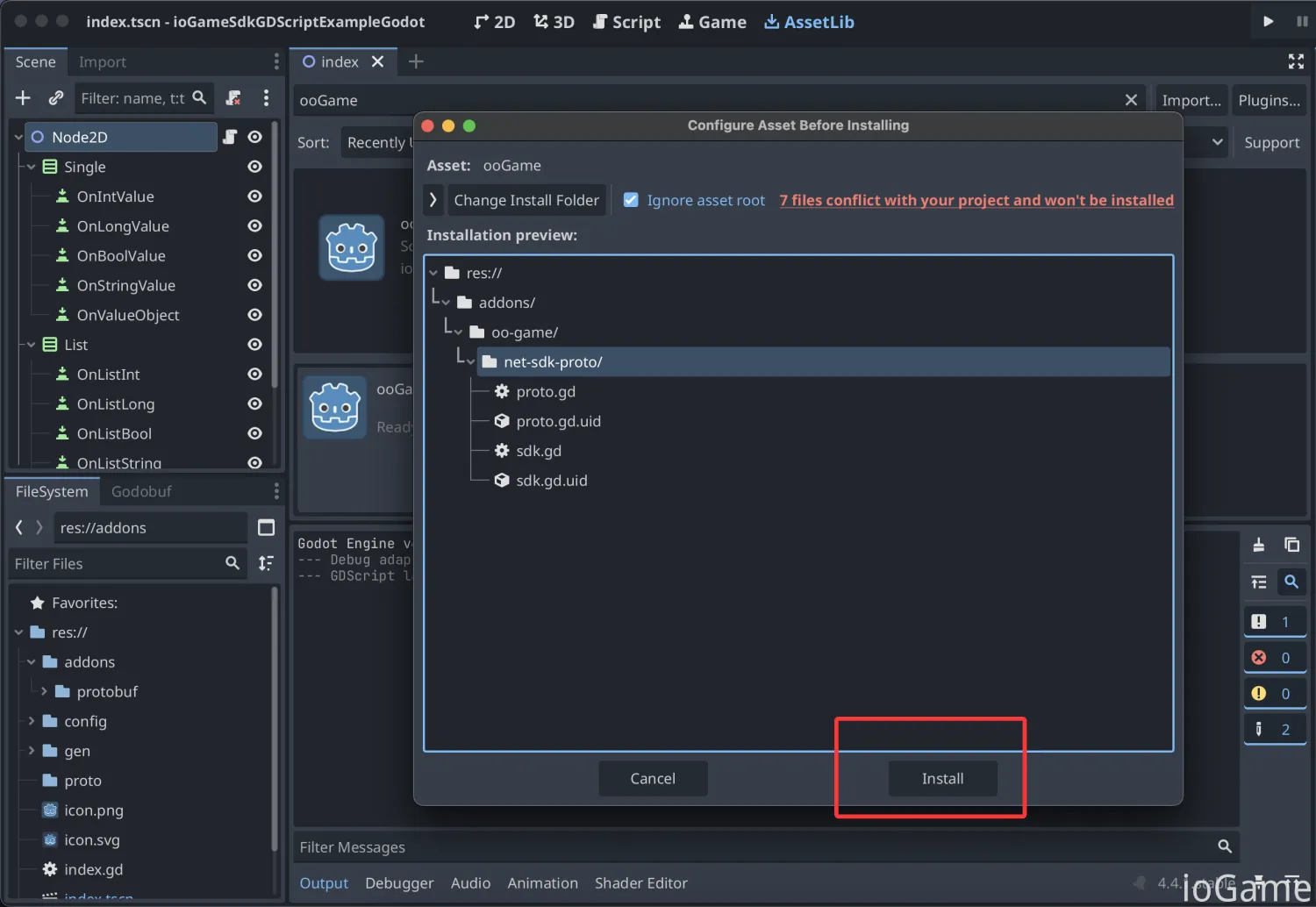
Click the Install button to install the SDK into the addons plugin directory.
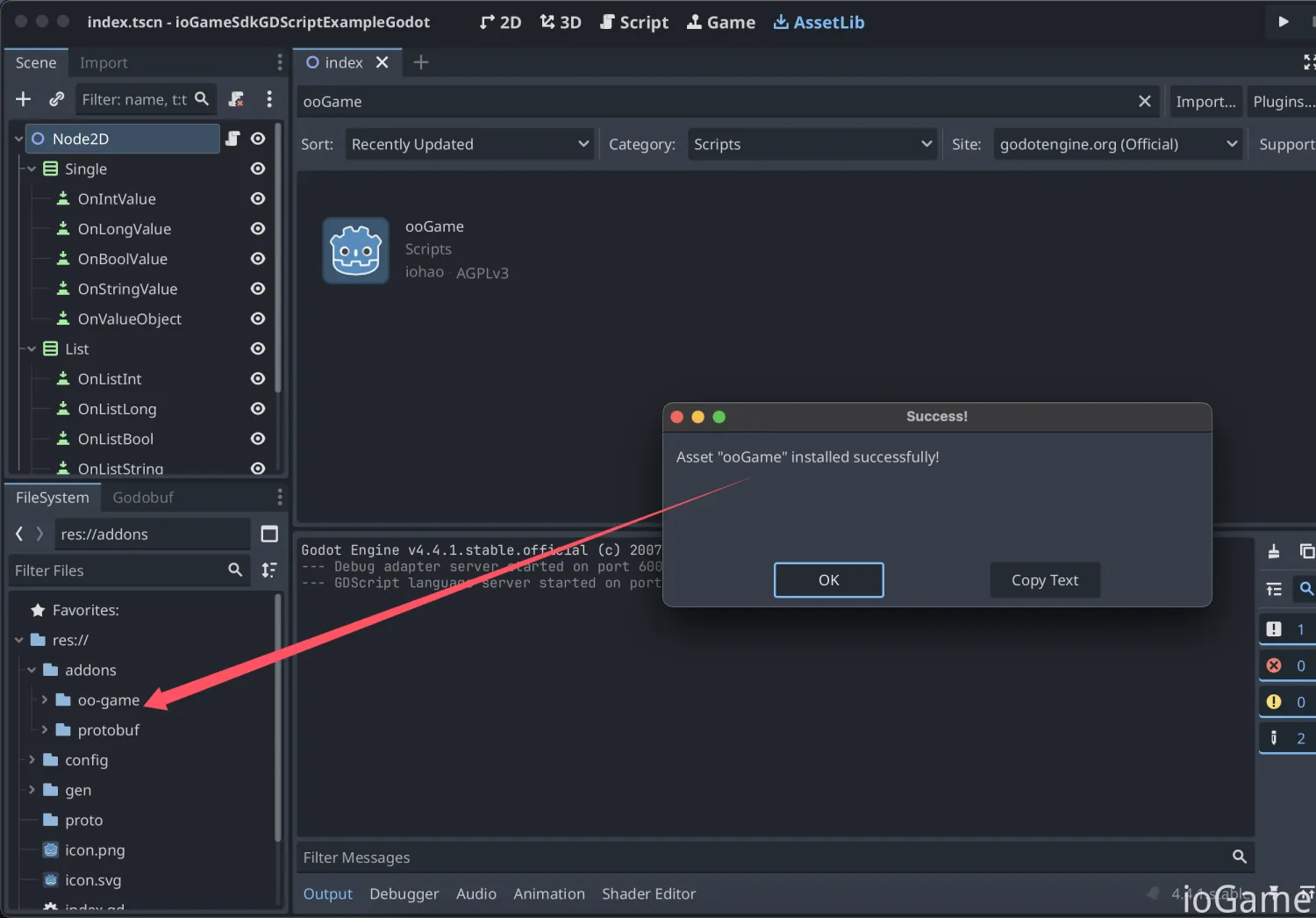
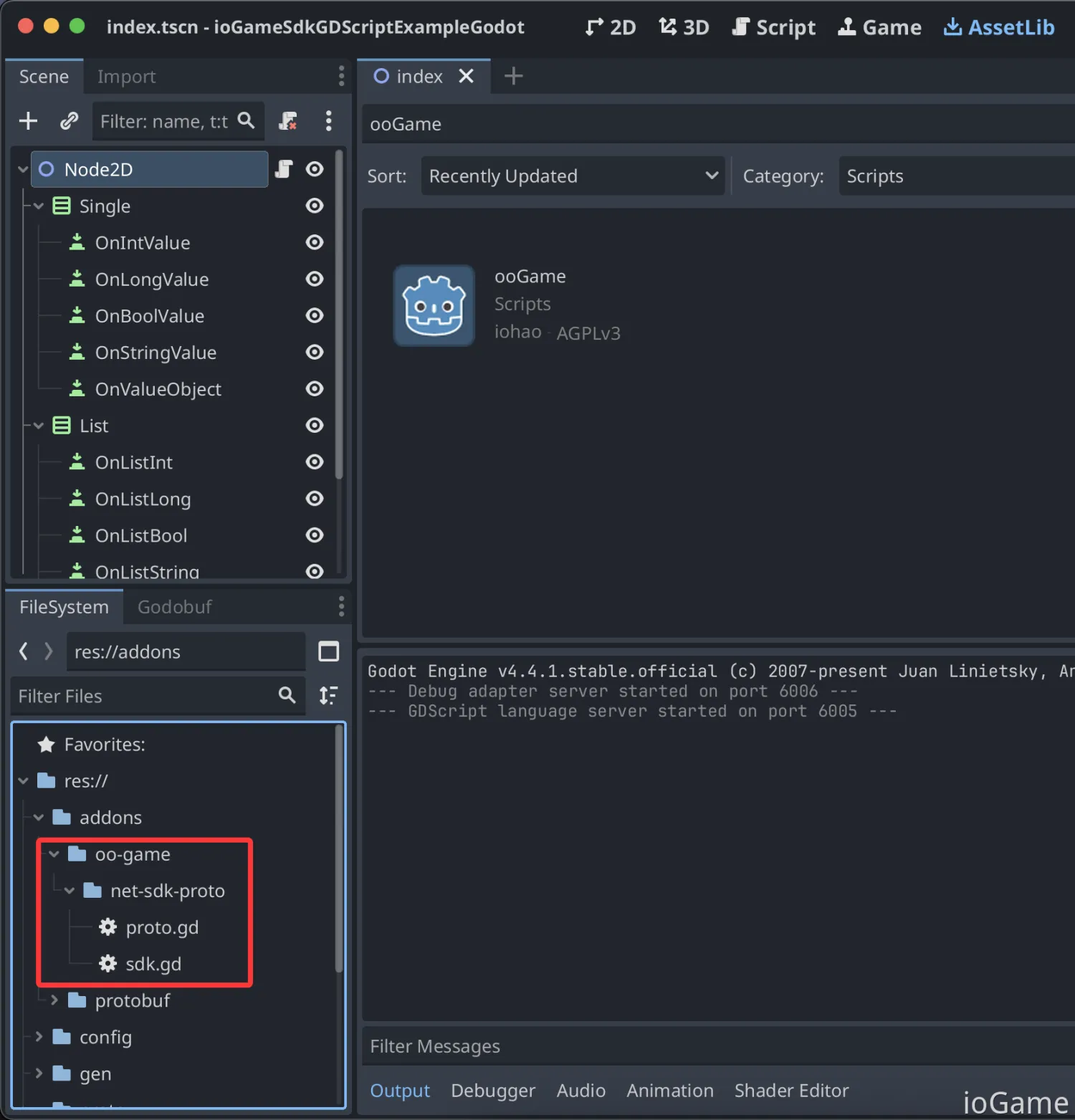
After installation, the addons directory will include SDK-related files.
SDK Setup
Add a my_net_config.gd file to configure SDK-related settings.
class_name MyNetConfig
extends RefCounted

static var _socket: MyNetChannel = MyNetChannel.new()
static var current_time_millis: int = 0

static func start_net():
    # --------- IoGameSetting ---------
    var setting := IoGame.IoGameSetting
    setting.enable_dev_mode = true
    setting.set_language(IoGame.IoGameLanguage.Us)
    # message callback. cn: 回调监听
    setting.listen_message_callback = MyListenMessageCallback.new()
    # set socket. cn: 设置网络连接
    setting.net_channel = _socket

    socket_init()
    setting.start_net()


static func poll():
    _socket.poll()


static var _heartbeat_message_bytes := IoGame.Proto.ExternalMessage.new().to_bytes()
static var _heartbeat_counter: int = 1

static func send_idle() -> void:
    _heartbeat_counter += 1
    #print("-------- ..HeartbeatMessage {%s}" % [_heartbeat_counter])
    IoGame.IoGameSetting.net_channel.write_and_flush_byte(_heartbeat_message_bytes)


class MyListenMessageCallback extends IoGame.ListenMessageCallback:
    func on_idle_callback(message: Proto.ExternalMessage):
        var data_bytes := message.get_data()
        var long_value := IoGame.Proto.LongValue.new()
        long_value.from_bytes(data_bytes)
        # Synchronize the time of each heartbeat with that of the server.
        # cn: 每次心跳与服务器的时间同步
        MyNetConfig.current_time_millis = long_value.get_value()


class MyNetChannel extends IoGame.SimpleNetChannel:
    var _last_state: WebSocketPeer.State = WebSocketPeer.State.STATE_CLOSED
    var _socket: WebSocketPeer = WebSocketPeer.new()
    var _url: String = "ws://127.0.0.1:10100/websocket"

    var on_open: Callable = func():
        print("on_open")

    var on_connecting: Callable = func():
        print("on_connecting")

    var on_connect_error: Callable = func(error: int):
        print("on_connect_error:", error)

    var on_closing: Callable = func():
        print("on_closing")

    var on_closed: Callable = func():
        print("on_closed")

    func prepare() -> void:
        if _url == null or _url.is_empty():
            _url = IoGame.IoGameSetting.url

        var error: int = _socket.connect_to_url(_url)

        if error != 0:
            on_connect_error.call(error)
            return

        _last_state = _socket.get_ready_state()


    func write_and_flush_byte(bytes: PackedByteArray) -> void:
        _socket.send(bytes)

    func poll() -> void:
        if _socket.get_ready_state() != WebSocketPeer.State.STATE_CLOSED:
            _socket.poll()

        while _socket.get_available_packet_count() > 0:
            var packet := _socket.get_packet()
            var message := IoGame.Proto.ExternalMessage.new()
            message.from_bytes(packet)
            self.accept_message(message)

        var state: WebSocketPeer.State = _socket.get_ready_state()
        if _last_state == state:
            return

        _last_state = state

        match state:
            WebSocketPeer.State.STATE_OPEN:
                on_open.call()
            WebSocketPeer.State.STATE_CONNECTING:
                on_connecting.call()
            WebSocketPeer.State.STATE_CLOSING:
                on_closing.call()
            WebSocketPeer.State.STATE_CLOSED:
                on_closed.call()
            _:
                printerr("Socket Unknown Status.")
How to Generate .proto
Generating .proto requires the godobuf library.
Below is a simple installation demo. For detailed instructions, see the library README.md.
Clone the godobuf library locally.
git clone https://github.com/oniksan/godobuf.git
Copy the addons/protobuf directory into your project's addons directory.

Now the directory structure in Godot is as follows.
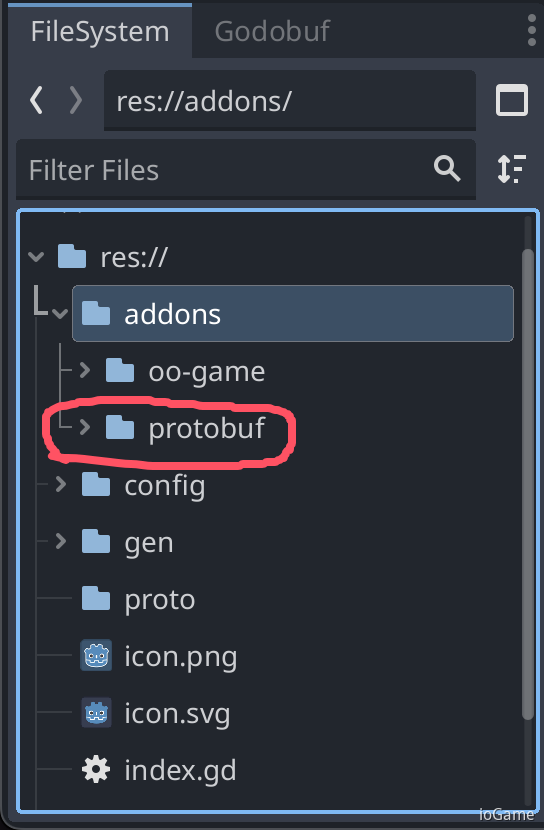
Enable the godobuf plugin.

A Godobuf tab will appear. Through this tab, developers can convert .proto files into .gd files.
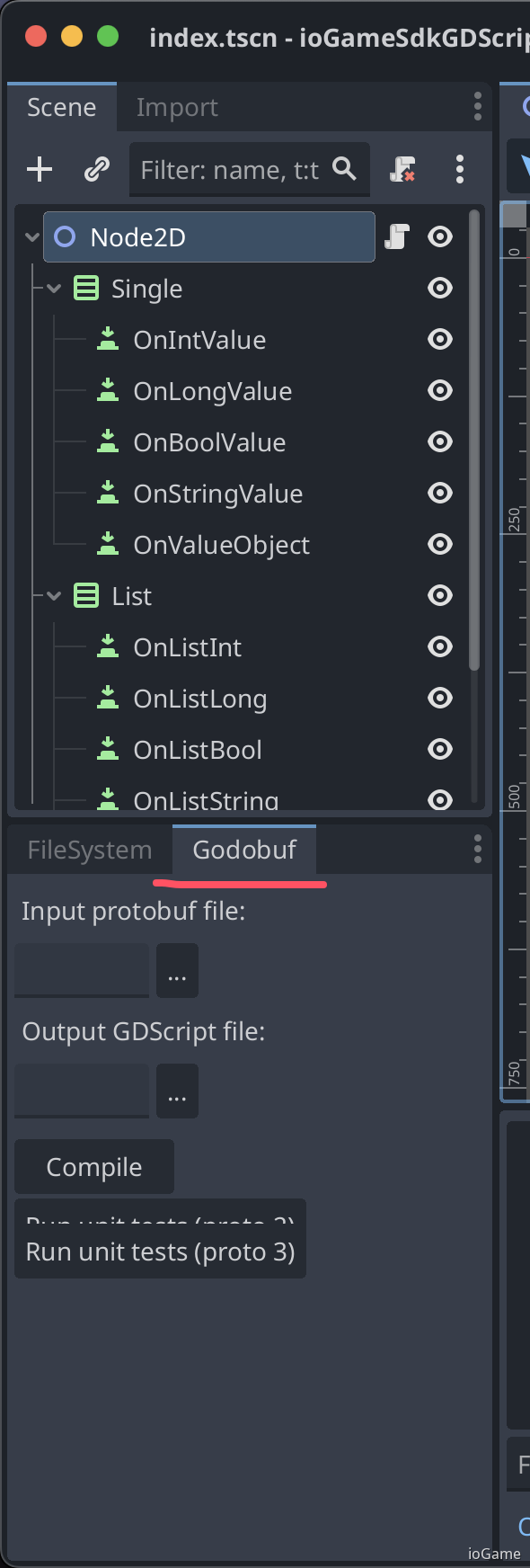
Input protobuf file: select the .proto you want to compile.
Output GDScript file: output directory for compiled .proto.
Note: after compilation, proto files must be placed in the gen directory.

Interaction interface files such as action, broadcast, and error codes in ./gen/code are generated by the framework.
Code generation greatly reduces workload for client developers, and usage is simple and smooth like local method calls.

Handle Error Codes
The following demonstrates error handling for two coding styles: callback and async/await.
SdkAction is generated by the framework.
func int_func():
    print("-------- OnIntValue --------")
    var value: int = 1

    # code style: callback.
    SdkAction.of_int_value(value, func(result: IoGame.ResponseResult):
        result.log(result.get_int())
    ).on_error(func(result: IoGame.ResponseResult):
        var error_code := result.get_response_status()
        print("error_code: ", error_code)
        print("error_info: ", result.get_error_info())
    )

    # code style: async await.
    var _result := await SdkAction.of_await_int_value(value)
    if _result.success():
        _result.log(_result.get_int())
    else:
        var error_code := _result.get_response_status()
        print("error_code: ", error_code)
        print("error_info: ", _result.get_error_info())
Notes and Considerations
Receive Network Data
see https://docs.godotengine.org/en/stable/tutorials/networking/websocket.html#using-websocket-in-godot
You need to call MyNetConfig.poll() in _process(_delta) to receive network data.
extends Node
...
func _ready():
    MyNetConfig.start_net()

func _process(_delta):
    # cn: 接收网络数据
    # Call this in _process or _physics_process.
    # Data transfer, and signals emission will only happen when calling this function.
    MyNetConfig.poll()